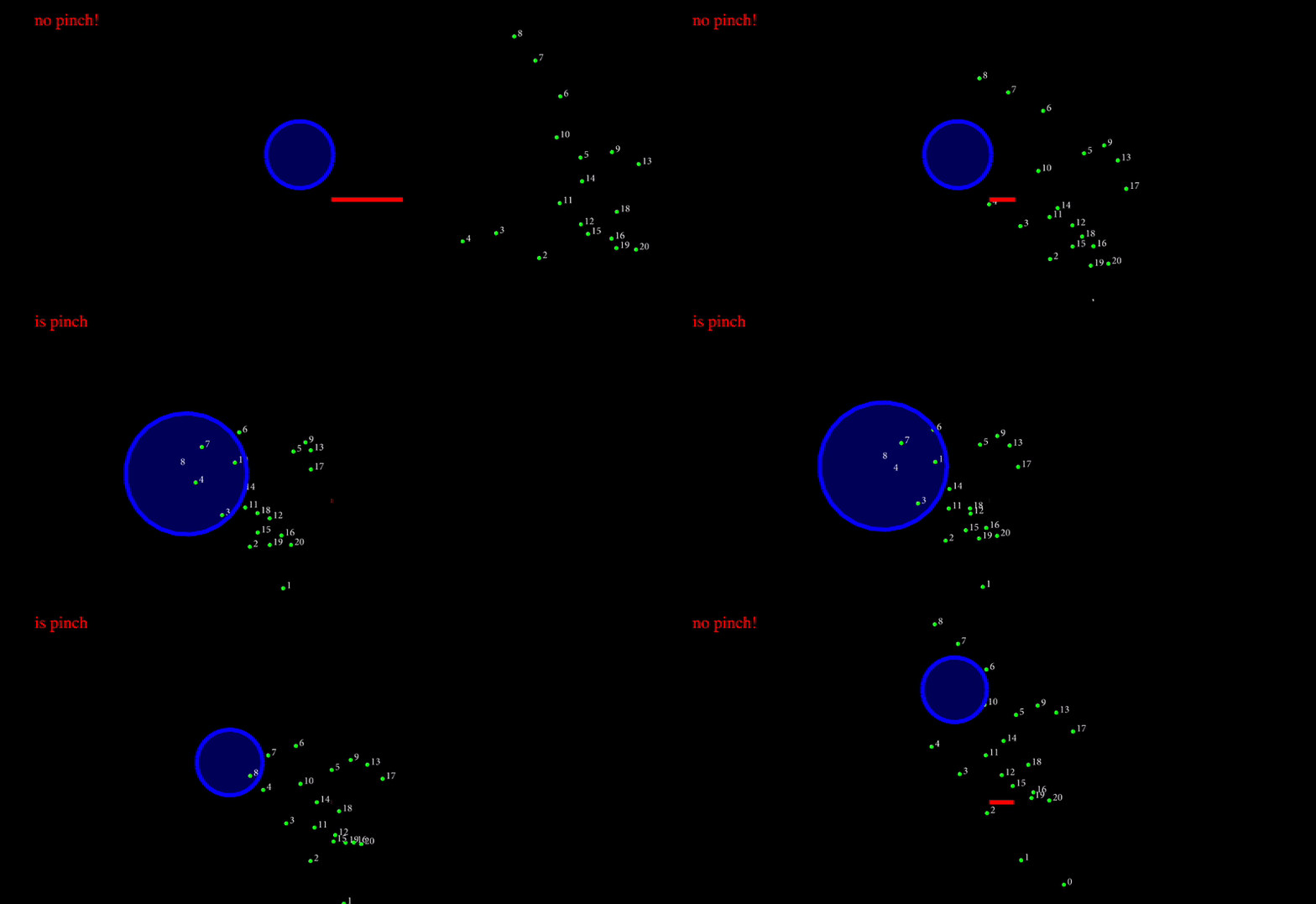
Hey there!
Welcome back! In this article I’ll share with you a neat and compact approach for hand Landmarks detection and basic Gesture Recognition based on Landmarks interactions, euclidean distances and thresholds. I wrote this example a while ago, but missed the time to share it with the community. Now I’m taking the opportunity to do just that.
Find the code under the p5js editor.
The Hands JS Landmark Recognition
From the paper: MediaPipe Hands: On-device Real-time Hand Tracking Fan Zhang, Valentin Bazarevsky, Andrey Vakunov, Andrei Tkachenka, George Sung, Chuo-Ling Chang, Matthias Grundmann
> … a real-time on-device hand tracking pipeline that predicts hand skeleton from single RGB camera for AR/VR applications. The pipeline consists of two models: 1) a palm detector, 2) a hand landmark model. It’s implemented via MediaPipe, a framework for building cross-platform ML solutions. The proposed model and pipeline architecture demonstrates real-time inference speed on mobile GPUs and high prediction quality. MediaPipe Hands is open sourced at this https URL.
https://arxiv.org/abs/2006.10214?utm_source=chatgpt.com
General Overview of the Code
In this example, we combine the creative possibilities of p5.js with the hand-tracking power of MediaPipe’s Hands library. By utilizing 3D landmarks, we can build an interactive system that responds to hand gestures dynamically. The key features include:
- Hand Tracking with MediaPipe: The Hands library captures 21 landmarks for each hand in real time, enabling precise tracking of gestures.
- Interactive Object Manipulation: The code includes logic for recognizing a “pinch” gesture, allowing users to grab, move, and resize objects in a 3D space.
- Dynamic Visualization: The hand landmarks and interactions are rendered using p5.js’ WebGL capabilities, providing an immersive and visually engaging experience.
This setup demonstrates the versatility of integrating computer vision with creative coding, opening up endless possibilities for gesture-based interaction.
Interactive Part: Gesture Recognition
The heart of the system lies in recognizing and responding to specific gestures. The main steps include:
1.Landmark Detection:
- MediaPipe detects 3D landmarks for the hand, providing precise positions of key points like fingertips and knuckles.
- The code focuses on the tip of the index finger (landmarks[8]) and the thumb (landmarks[4]) to identify a pinch gesture.
2.Pinch Detection:
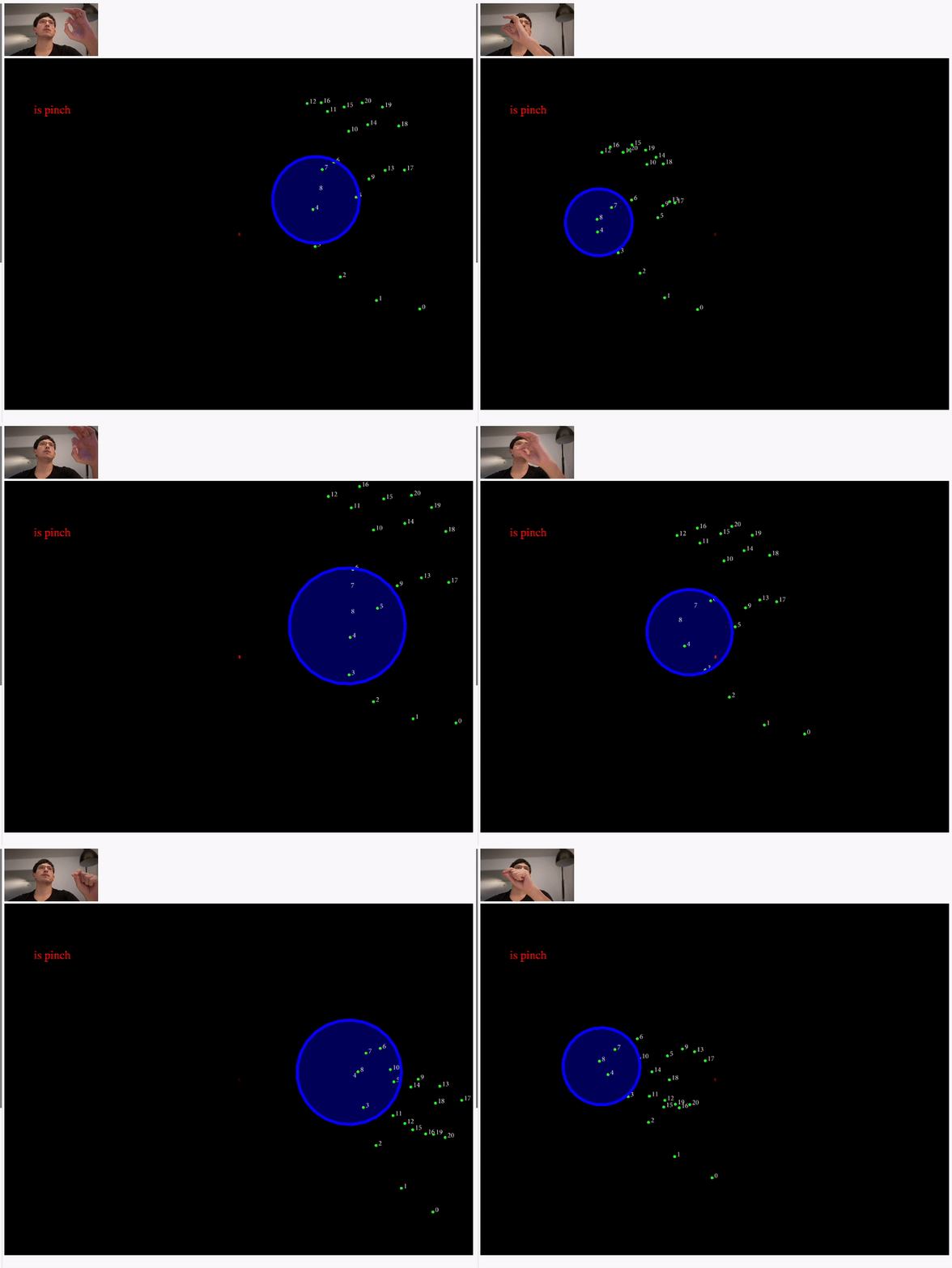
- A simple distance calculation between the index finger and thumb determines whether a pinch gesture is being performed.
- If the distance is below a certain threshold (compareD < 0.015), the system recognizes the pinch.
3.Grabbing and Dragging Objects:
- When a pinch gesture is detected near an object, the system locks onto the object, allowing it to be moved dynamically.
- The object’s position is updated based on the hand’s movement, creating a smooth dragging interaction.
4. Dynamic Scaling:
- The size of the grabbed object changes dynamically based on its locked or unlocked state, adding a layer of visual feedback to the interaction.
And the result is something like this:
Full Code with Inline Explanatory Comments
``` // written by ndr3svt from sooft.studio // find more stuff like this on Instagram : // https://www.instagram.com/ndr3svt/ // https://www.instagram.com/sooft.studio/
// hand tracking and drawing landmarks using handtrack.js const videoElement = document.getElementsByClassName("input_video")[0];
let compareD = 0; let xy = [250, 250]; // this variable stores the middle point between thumb and pointing finger let p_xy = [0, 0]; let lmResults = false;
let objectVector; let font = null;
let grabbing = false; let locked = false; let objectSize = 1; let lastObjectSize = 1; let objectSizeSmooth = 0;
// Preload assets (e.g., font) before the sketch starts function preload() { font = loadFont("/minionpro_reg.otf"); }
// Initialize the canvas and objects function setup() { objectVector = createVector(100, 0, 0);
createCanvas(800, 600, WEBGL); textFont(font); //textFont('Orbitron'); }
// Run the hand tracker on every frame function draw() { clear(); push(); translate(0, 0, -100); //image(videoInput, -width/2, -height/2, width, height); pop();
strokeWeight(5); stroke(255, 0, 0);
line(0, 0, compareD * 500, 0); if (compareD < 0.015) { document.querySelector(".info").querySelector("p").innerHTML = "is pinch"; } else { document.querySelector(".info").querySelector("p").innerHTML = "no pinch!"; }
// draw object which is being dragged push(); fill(0, 0, 255, 100); stroke(0, 0, 255); translate(objectVector.x, objectVector.y, objectVector.z); ellipse( 0, 0, 100 map(objectVector.z, 0.1, -0.1, 0.1, objectSizeSmooth), 100 map(objectVector.z, 0.1, -0.1, 0.1, objectSizeSmooth) ); pop();
// drawing landmarks displayResults();
// Detect if the user is performing a pinch gesture if (compareD < 0.015) { grabbing = true; // Pinch detected } else { grabbing = false; // No pinch }
// Handle grabbing interaction with the object if (grabbing) { // use a distance comparisson to know if the pinch and grabbing is near the object // note that we already map the pinchVector (xy) to the worlds coordinates let pinchVector = createVector( -xy[0] width + width / 2, xy[1] height - height / 2, xy[2] ); if ( dist(pinchVector.x, pinchVector.y, objectVector.x, objectVector.y) < 25 && locked == false ) { locked = true; // Lock the object to the hand objectSize = 2; // Enlarge the object when grabbed } if (locked) { // Update the object's position based on the pinch objectVector.x = -xy[0] width + width / 2; objectVector.y = xy[1] height - height / 2; objectVector.z = xy[2]; } } else { locked = false; // Release the object objectSize = 1; // Reset the object size } // smoothing the objectSize based on locked and unlocked object objectSizeSmooth = objectSize 0.5 + lastObjectSize 0.5; lastObjectSize = objectSizeSmooth; }
function displayResults() { if (lmResults) { for (let i = 0; i < lm.length; i++) { strokeWeight(5); stroke(0, 255, 0); /* non mirrored version uncomment if wanting to use this / //point(lm[i].xwidth - width/2,lm[i].y*height -height/2, lm[i].z); //text(i,lm[i].x*width - width/2,lm[i].y*height -height/2 ); /* mirrored version / point( -lm[i].x width + width / 2, lm[i].y height - height / 2, lm[i].z ); text(i, -lm[i].x width + width / 2 + 4, lm[i].y * height - height / 2); } } }
let lm = []; function onResults(results) { // this routine runs during the Landmark detection to do the corresponding calculations for estimating the pinch gesture if (results.multiHandLandmarks) { lmResults = true; for (const landmarks of results.multiHandLandmarks) { lm = landmarks; for (let i = 0; i < landmarks.length; i++) { // here we calulate distance between the thumb with the pointing finger compareD = distance( landmarks[8].x, landmarks[8].y, landmarks[4].x, landmarks[4].y ); // and if the Distance is bellow a certain value we store the middle between the two landmarks if (compareD <= 0.01) { xy[0] = (landmarks[4].x + landmarks[8].x) / 2; xy[1] = (landmarks[4].y + landmarks[8].y) / 2; xy[2] = landmarks[4].z; } } } } }
const hands = new Hands({ locateFile: (file) => { return https://cdn.jsdelivr.net/npm/@mediapipe/hands/${file}; }, });
hands.setOptions({ maxNumHands: 2, modelComplexity: 1, minDetectionConfidence: 0.5, minTrackingConfidence: 0.5, }); hands.onResults(onResults);
const camera = new Camera(videoElement, { onFrame: async () => { await hands.send({ image: videoElement }); }, width: 160, height: 90, }); camera.start();
function distance(x1, y1, x2, y2) { let dx = x2 - x1; let dy = y2 - y1; // let dz = z2-z1 let tD = dx dx + dy dy; // + (dz*dz) return tD; } ```
Conclusion: Expanding Possibilities
What else could you do with this? A lot. Beyond visualizations or interactive sketches, this system can be extended to include:
- Dual-Hand Interactions: Use both hands for more complex gestures, such as rotation, scaling, or multi-object manipulation.
- Physics Simulations: Combine the hand landmarks with libraries like Matter.js to give the tracked hands physical properties, allowing them to interact with simulated objects in a realistic way.
- Augmented and Virtual Reality: Leverage this system for AR or VR applications, where hand tracking can be used for natural input in immersive environments.
This is just the beginning. The potential of combining creative coding with machine learning is immense. I hope this example inspires you to explore further and build amazing interactive systems.
Follow me, follow Sooft Studio, like this article and share it! It means a lot to us, and helps us to stay motivated to write more articles like this and share the code.
References and Resources
- Finde the interactive code from this article: https://editor.p5js.org/ndr3svt/sketches/MUr9pHN6Q
- Hands js library https://arxiv.org/abs/2006.10214?utm_source=chatgpt.com
- Gesture recognition ideas: https://youtu.be/a99p_fAr6e4
- Euclidean distances applied to interaction: https://www.youtube.com/watch?v=bhAUIeVe0s4
- MediaPipe Solutions from Google: provides a suite of libraries and tools for you to quickly apply artificial intelligence (AI) and machine learning (ML) techniques in your applications. https://ai.google.dev/edge/mediapipe/solutions/guide
Originally published on Medium.