
When launching a new app like deskflot.com, having a waitlist landing page is crucial for capturing early interest and building momentum before the official release. Recently, I experimented with Cursor AI, an AI-powered code editor, to create a landing page for deskflot.com in record time. Here are the steps I followed — and the steps you could follow too.
Using Cursor AI to create a waitlist landing page for deskflot.com was a game-changer experience. Its intuitive interface and AI-powered coding assistance allowed me to develop and deploy a sleek, functional page with a dedicated backend in less than 20 minutes. The platform’s efficiency in generating responsive layouts, interactive open source maps, translation engine, analytics and integrating email capture forms streamlined the entire process. For anyone looking to build a landing page or a full stack application quickly and effectively, Cursor AI is a highly recommended tool!
Getting Started
Cursor AI makes the process incredibly straightforward. After downloading cursor IDE for the macbook and creating an account I could run it fully for the 14 day free trial period.
To begin, I outlined the main elements I wanted for the landing page and came up with a rather clumsy prompt to instruct Cursor:
- Headline: A bold introduction to Deskflot.com and what it offers.
- Subheading: A concise explanation of why users should join the waitlist.
- Email Capture Form: A simple, visually appealing form to collect user emails.
- Call-to-Action (CTA): A button that invites users to “Join the Waitlist.”
- Design: Clean, modern, and responsive, generic schadcn/UI minimal design and components (I don’t have Deskflot’s branding yet).
- Data: a simple waitList.json to store the entries from the form.
The Workflow with Cursor AI COMPOSER
Note that Cursor AI’s IDE has two modalities: COMPOSER and CHAT. Both are generative, however CHAT will not modify any of your existing files neither will it write new ones. Instead it will just spit out the information over the CHAT view which you will then have to abstract into new files and so on. COMPOSER is a bit more complex than that. In the first run it also spits out the output as a chat conversation, however something else happens after COMPOSER has finished answering for specific sections. Something ‘Agentic’ turns those answers into what it looks like git commits to your existing files or generates full files from scratch. It then asks you for consent to finalize the creation process.
Here’s how I achieved results with Cursor COMPOSER in under 20 minutes:
- Define the Structure Cursor AI allowed me to draft the full structure within minutes. By describing what I needed in plain text (e.g., “make a landing page for Deskflot that is served by our self-hosted proxy-server. Deskflot is a new marketplace to monetise free space at home or atelier or office … slick minimal style using schadcn UI”), the AI generated the initial code and file structure and provided some terminal commands to run the application.
- Customize the Design Cursor AI already provided an initial layout and set of functions. Through a conversation I requested changes, additions to the features, bug fixes, code completion, and so on.
- Responsive Layouts With a single prompt, Cursor AI helped me ensure the page was fully responsive almost from the first shot. I tested the layout across multiple screen sizes, from desktop to mobile, directly within the editor.
- Email Integration I used a simple form submission handler. Cursor AI even suggested lightweight JavaScript to connect the form to a mock API endpoint and json database for testing purposes.
After the first round of generation, I decided to add a few more features to that wait list landing page. That included:
- An interactive map to choose your preferred location.
- A search radius filter.
- Entry fields in the wait list form to collect information about location and radius preference.
- Automatic geolocation after providing City Name or ZIP Code.
- Add translations and a dynamic translation engine for specific countries I am interested in for placing Deskflot: Switzerland, Germany, Italy, Mexico, Spain, Estonia, USA, France.
- Event Tracking and Analytics Log from User Interactions across the UI.
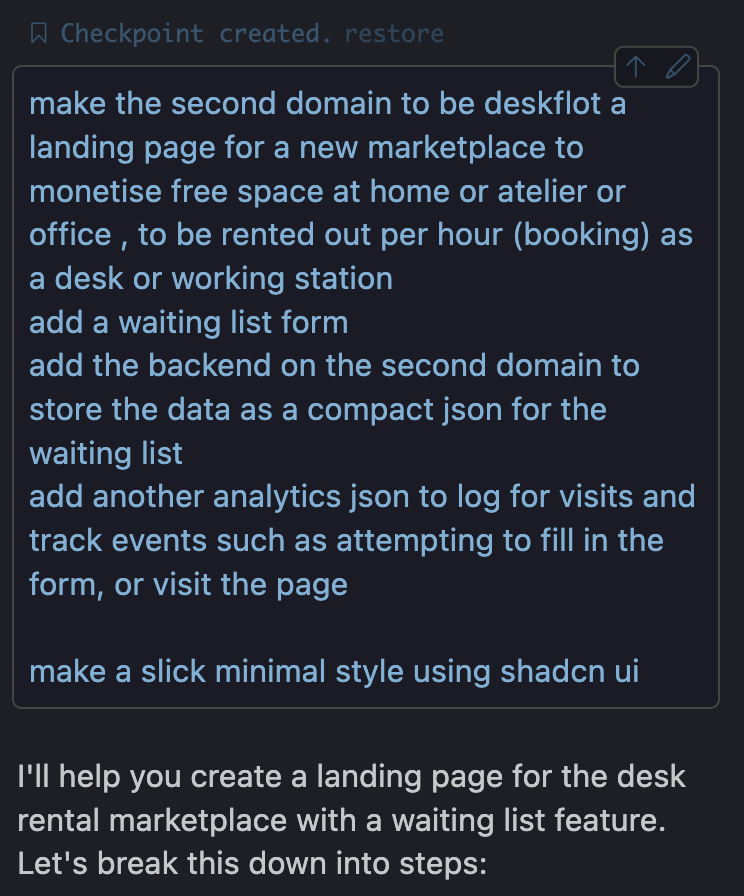
Above you can see the first ‘prompt’ I gave to Cursor COMPOSER after having granted it access to an existing project (self hosting project). After this, Cursor AI started generating the code, creating the files and file structure. It also created interactive Prompts which allowed me to run the terminal commands directly following Cursor AI suggestions.
The Results
In just 20 minutes, and a few rounds of generating code and asking Cursor to review and fix errors, I had a landing page that was highly interactive, neatly styled, functional at the front and the back ends, and deployable. The resulting web page:
- Highlighted Deskflot’s key features which are listing and finding desk spaces near you and rent them by the hour
- Looked sleek and professional.
- Functioned perfectly on both desktop and mobile devices.
- Collected user emails and other relevant data securely in json format on the server (I used json to prototype the DB, of course MariaDB, SQL, or postgres would be the next step)
Here’s a quick look at the final implementation:
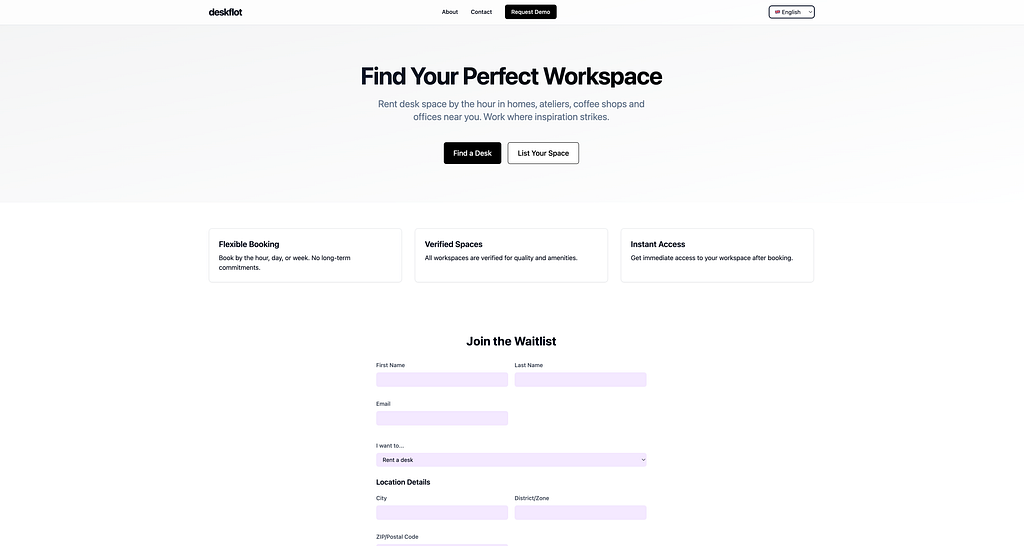
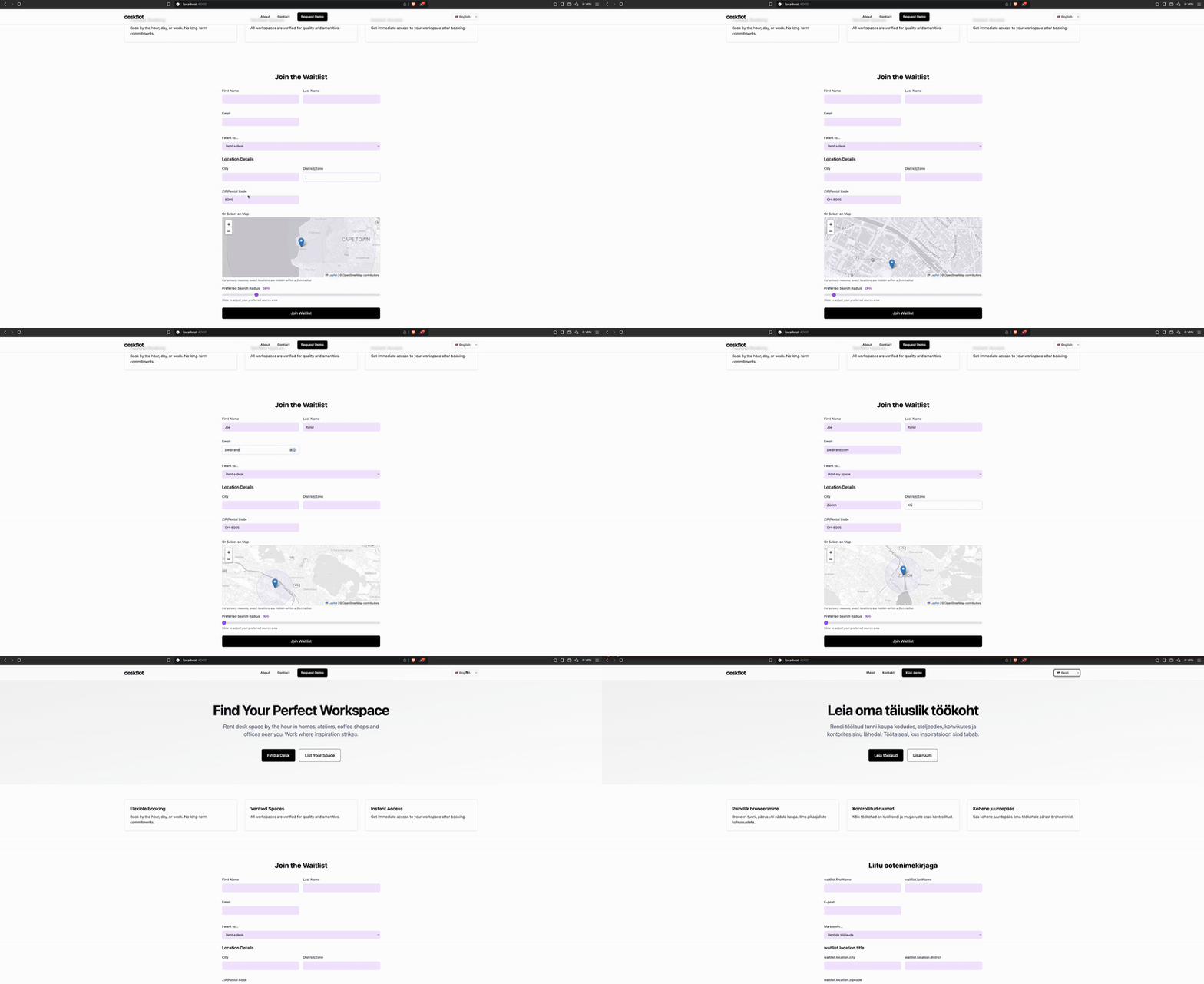
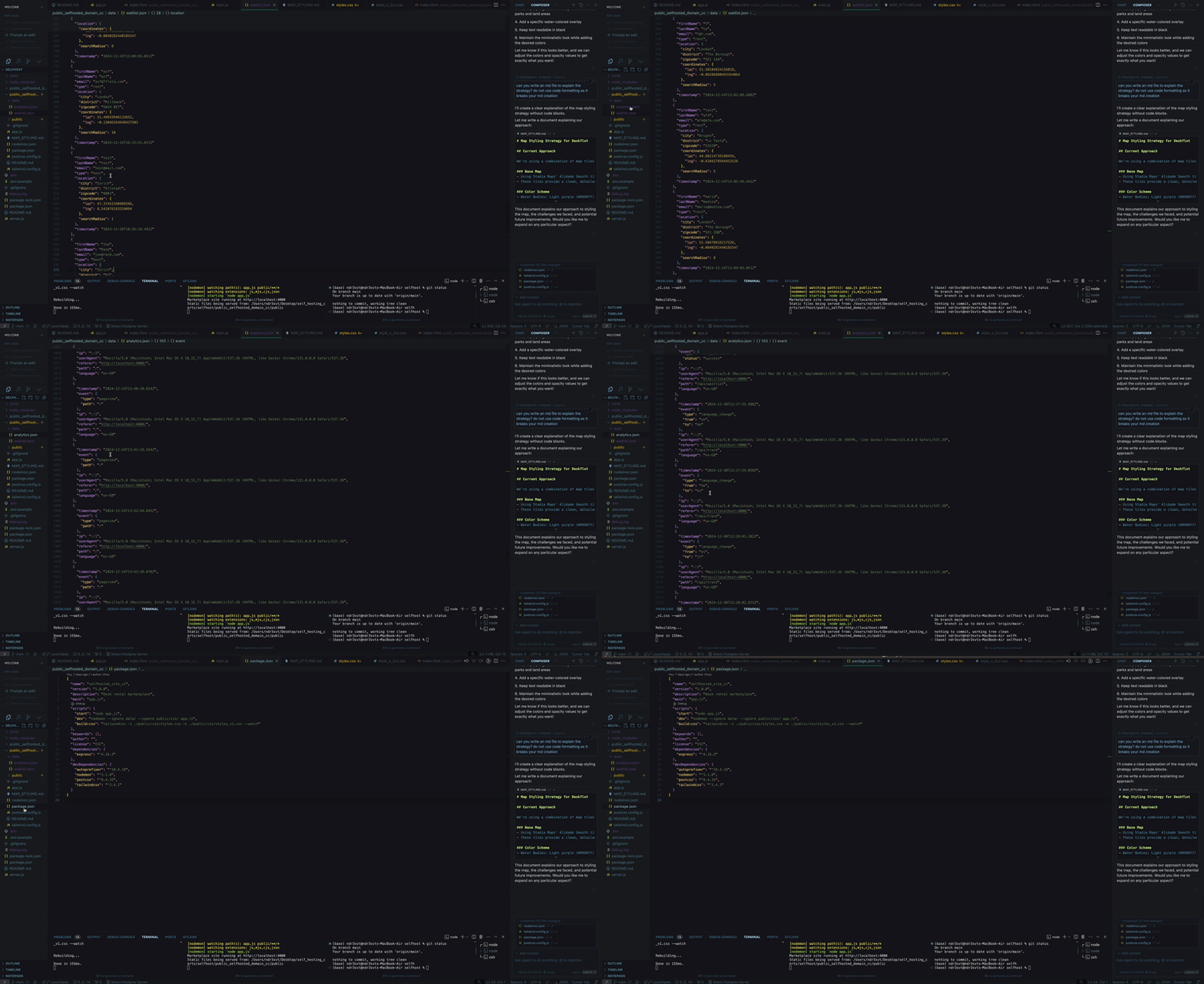
And a quick look in the full architecture and file structure that cursor AI came up with after the given specifications:
`` /public_selfhosted_domain_cc/ ├── app.js # Express server and API endpoints ├── data/ # Data storage (gitignored) │ ├── analytics.json # Analytics tracking data │ └── waitlist.json # Waitlist submissions ├── public/ # Static assets │ ├── css/ # Compiled CSS │ ├── js/ # Client-side JavaScript │ │ ├── main.js # Main JavaScript functionality │ │ └── i18n.js # Internationalization handling │ └── translations/ # Language files │ ├── en.json │ ├── fr.json │ ├── de.json │ ├── es.json │ ├── it.json │ └── et.json ├── package.json # Dependencies and scripts └── README.md # This file ``
And an overview of the packages used by Cursor AI after the specifications given:
`` { "name": "selfhosted_site_cc", "version": "1.0.0", "description": "Desk rental marketplace", "main": "app.js", "scripts": { "start": "node app.js", "dev": "nodemon --ignore data/ --ignore public/css/ app.js", "build:css": "tailwindcss -i ./public/css/styles.css -o ./public/css/styles_v1.css --watch" }, "keywords": [], "author": "", "license": "ISC", "dependencies": { "express": "^4.18.2" }, "devDependencies": { "autoprefixer": "^10.4.18", "nodemon": "^3.1.0", "postcss": "^8.4.35", "tailwindcss": "^3.4.1" } } ``
It does feel familiar, ChatGPT also writes code, and Copilot also generates files (not sure, does it?) or modifies your code directly on the VSCode IDE. However, Cursor goes beyond by having a full overview of a project accurately, and handling the file structure and dependencies, almost seamlessly. I was really with a big Oh in my face.
Obstacles to Be Aware Of and How to Approach Them
While seeing Cursor AI do all the heavy lifting felt like magic, for reasons I cannot explain, Cursor AI left some things unattended or undone. My bet: the context and token generation limitations. And as in any development process, some errors popped up. Here I share a few examples with you:
On the first run, after running npm run dev or npm run start, I encountered some console errors which indicated something was missing. All I needed to do is to copy the errors from the console and share them with Cursor COMPOSER.
Bear with me — I know it sounds like a crime against engineering best practices to let a black box generate all the code for you. But hey, I wanted to test this pretending to be someone who knows almost nothing about coding and just patches and pastes things together.
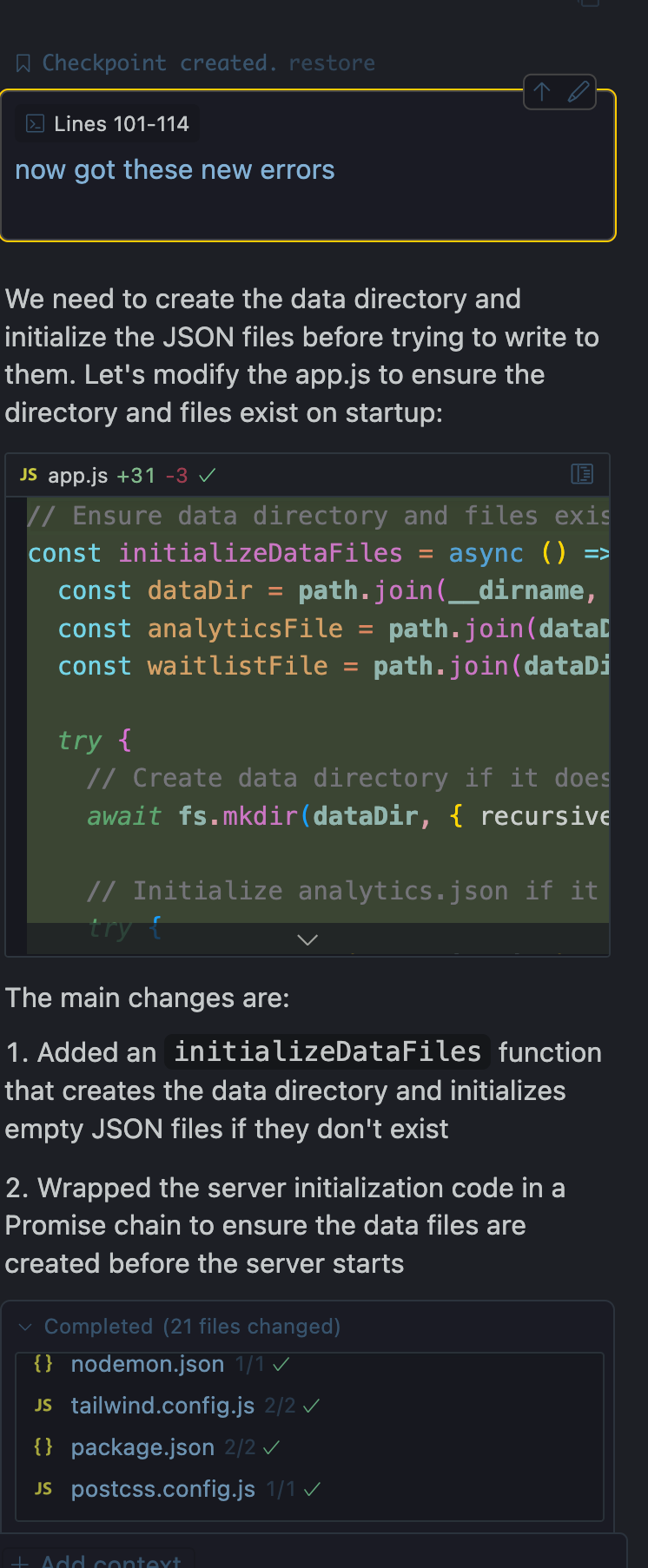
After repeating this process a few times, I came across some other errors — like using Next.js in a context where it had no relevant dependencies. To address this, I approached the situation by asking questions with a touch of naivety to better understand the reasoning behind it.
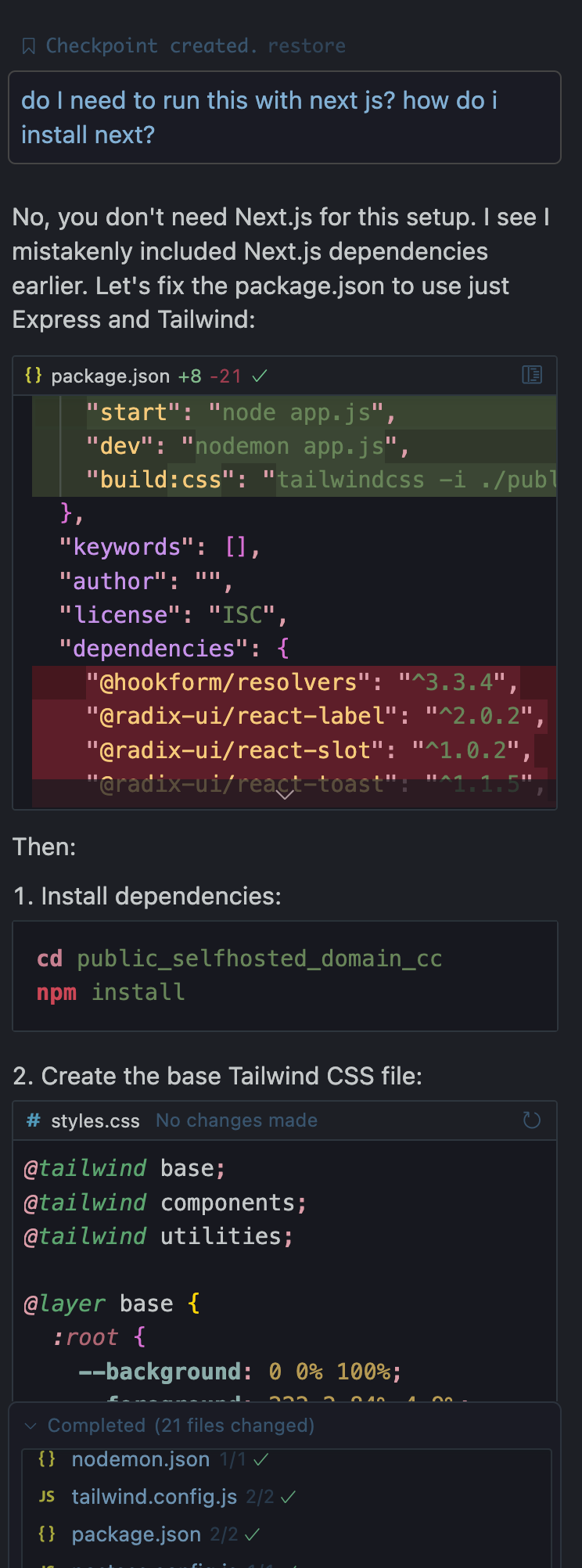
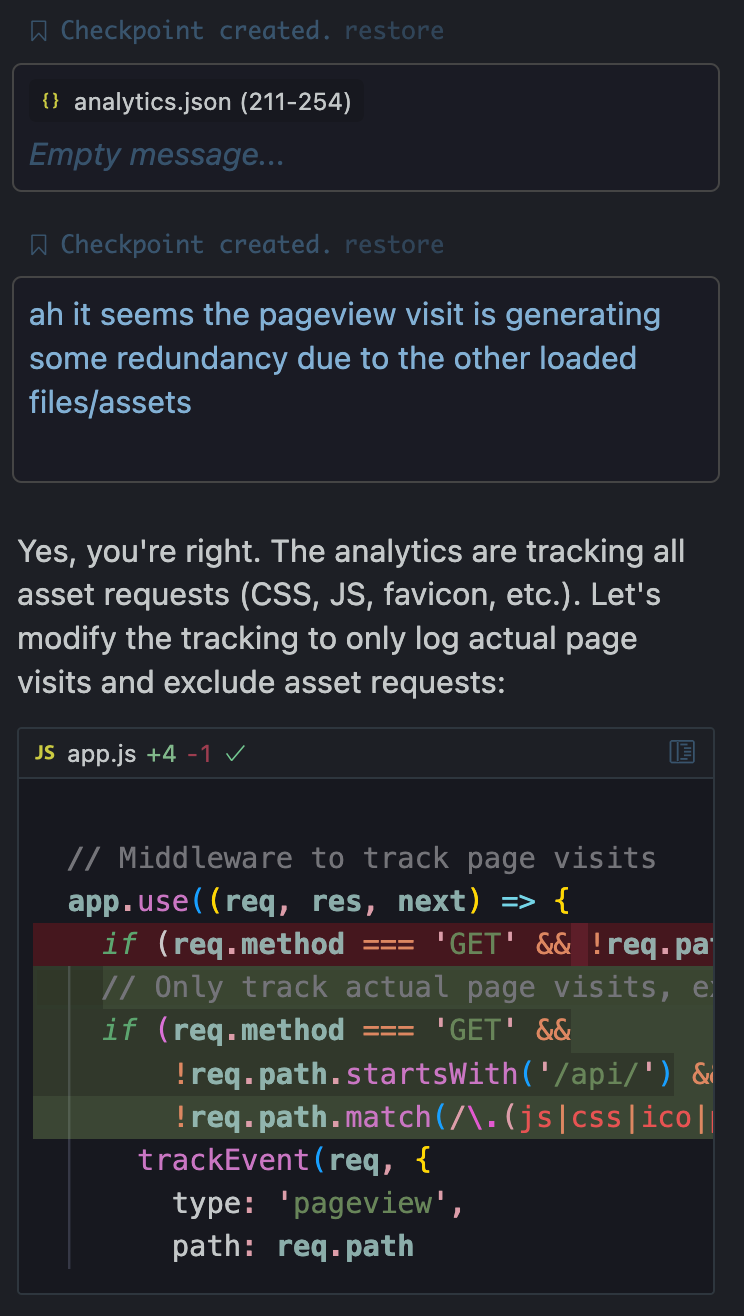
I kept sharing all the console errors, browser inspector logs, and instances of incorrect behavior or broken functionality with Cursor COMPOSER as they appeared. Slowly but surely, we reached a point where everything was working. By the way, you can also share screenshots with Cursor to debug styles, UI elements, and user flows — it’s incredibly versatile for tackling these kinds of issues.
To save you from reading through all my back-and-forth conversations with Cursor COMPOSER, I’ve shared just two generic examples to illustrate how a conversational tone kept the code-generation process flowing smoothly. Ultimately, we arrived at results that were, to say the least, very impressive.
The biggest takeaway for me, after experimenting with other methods of generating code, is that having some background knowledge in engineering, frameworks, and packages certainly helps. However, the most effective approach I’ve found is to start with something that’s already functional — a solid base structure to build upon.
Why Cursor AI?
Using Cursor AI for this project saved hours of development time. Key features that stood out:
- Ease of Use: The natural language prompts made generating code intuitive and fast.
- Customization: Every element was tailored to fit the requirements. It was also easy to debug and fix errors.
- Efficiency: With Cursor AI handling the heavy lifting of generating the codebase structure and skeleton, installing packages and so on, I could focus on refining the branding, business strategy, analytics and data.
- AI Guidance: Cursor AI’s suggestions were spot-on, offering valuable insights into improving the modular architecture, optimizing Tailwind CSS integration, and refining the Node.js and Express.js server framework.
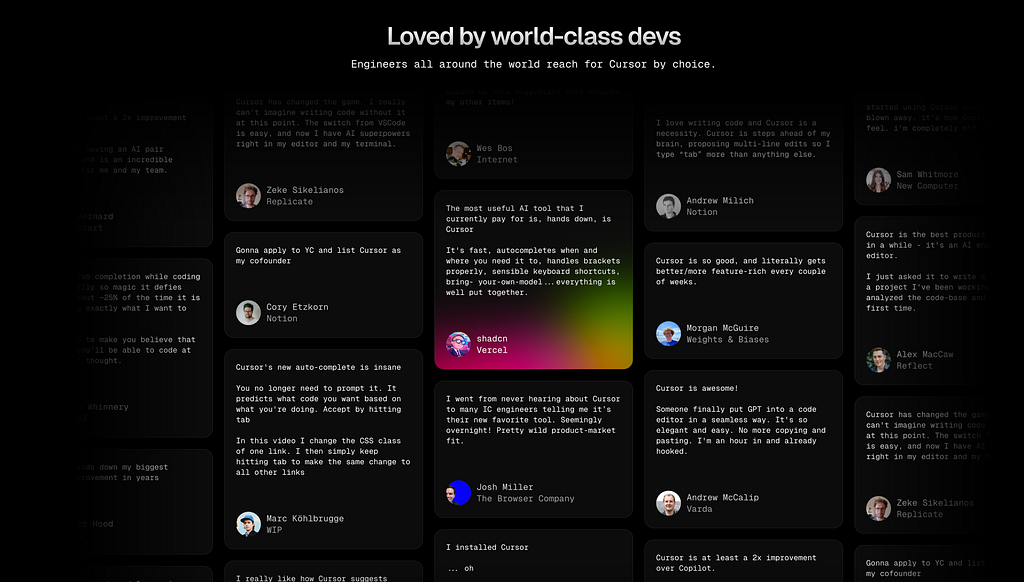
And well, when you see that other developers you follow and respect are also talking about Cursor AI … it is time to take it seriously.
Conclusion
In today’s overwhelmingly fast-paced development of technology, tools like Cursor AI are invaluable for makers and startups. Whether you use it for creating a simple landing page or a full-stack application, the combination of speed, quality, and simplicity is unparalleled. Yes, there is a lot of debugging to do, but honestly, the conversational style in doing it makes the process quite fast. I have to give it to Cursor COMPOSER. My prompts were just poor and sloppy, written in a hurry. When providing more steps and details in a more structured way, I believe that less errors will occur. I’m exited for all the things that people, including myself, will be accomplishing in 2025 together with these tools.
By the way, let me know in the comments if you want a step by step article or video tutorial. I’d be happy to go through the process again and record it for you.
If you’re building a new app or project, I highly recommend giving Cursor AI a try. For the deskflot.com mockup, it proved to be a great tool, and I’m confident it can do the same for you.
What’s next for Deskflot? This waitlist landing page is just the beginning. Stay tuned as we continue to build Deskflot into the next workspace marketplace solution!
If you liked this article, follow me, follow Sooft Studio, like this article and share it! It means a lot to us, and helps us to stay motivated to write more articles like this and share the code. You can also now subscribe to my medium channel to be the first to know when I’m writing the next article.
Thanks and Happy New Year Everybody.
Originally published on Medium.