Welcome (back)!
We will continue now with implementing the Soft Body example from MatterJS into P5JS to kick start our own systems and experiments. In this part 2 out of 3, we will focus exclusively on the translation of this example available inside the matterjs library.
You can skip the tutorial and go directly to the code here: https://editor.p5js.org/ndr3svt/sketches/qLOsMPFjx
or on the repository: coming soon :)
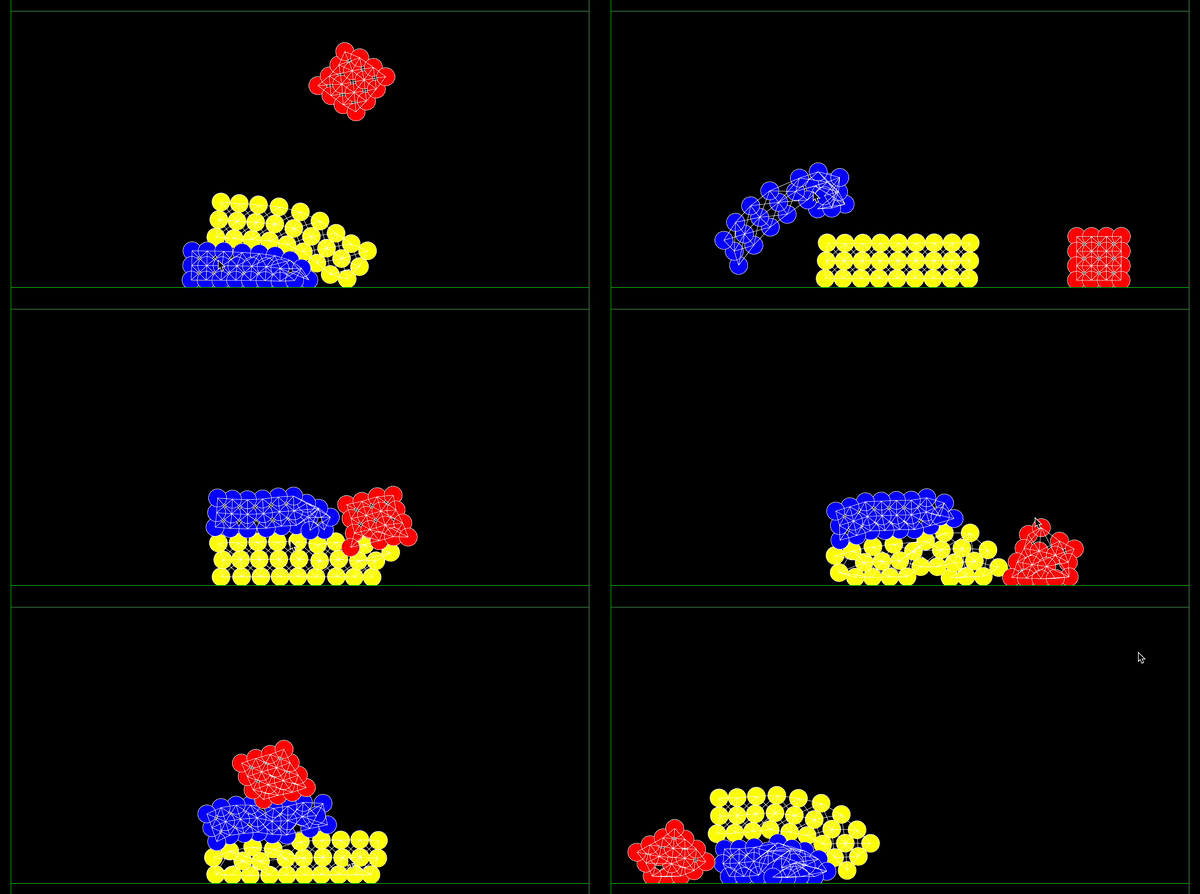
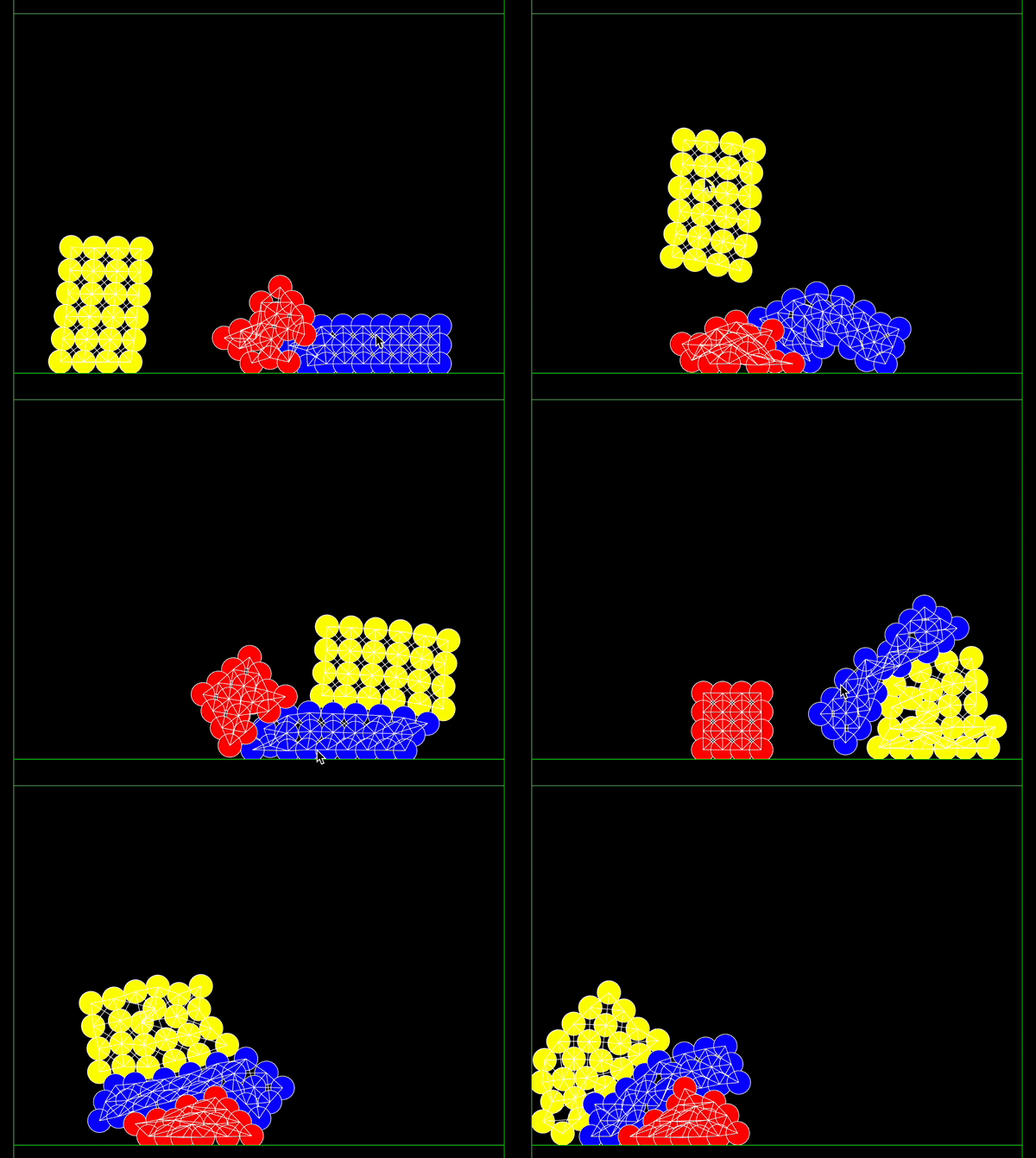
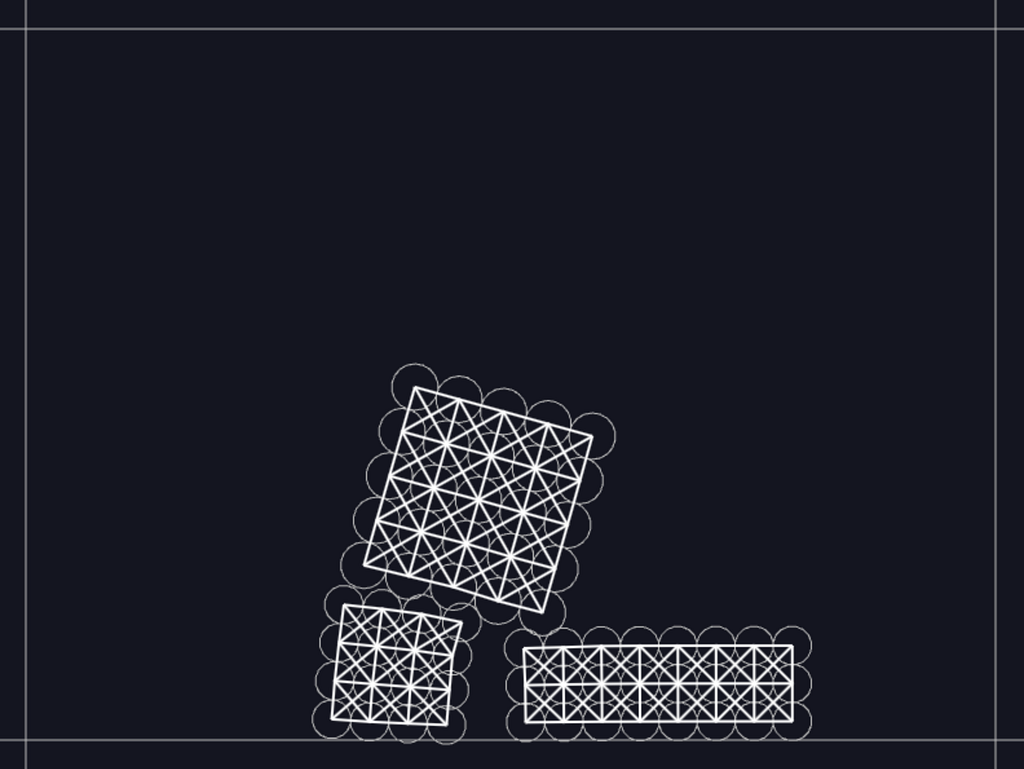
Let’s get started.
- First we will go and have a look at the available code from the matterjs example.
- Second we will setup our p5js sketch and translate piece by piece the available code from matterjs into p5js.
Note that we will mainly replace the way in which the soft bodies and boundaries are created and rendered. We will not use the renderer available in matterjs but make use of the render engine from p5js.
In order to find the available code from soft body in matterjs, go to the matterjs github repository, explore the folder ‘examples’, and select the softBody.js.
Analysing the existing Soft Body code in matterjs
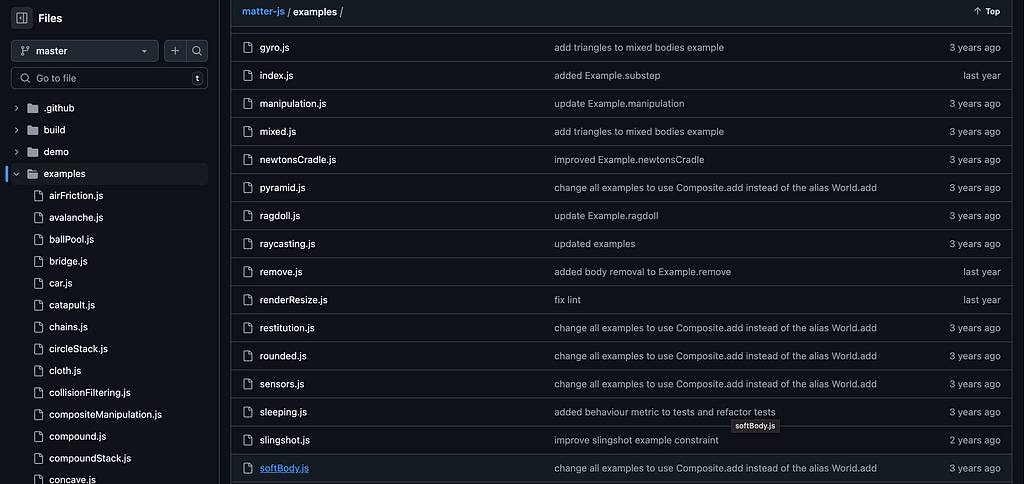
Here you should be able to directly explore the code inside the soft body example. I’ll add the code here for you:
``` var Example = Example || {};
Example.softBody = function() { var Engine = Matter.Engine, Render = Matter.Render, Runner = Matter.Runner, Composites = Matter.Composites, MouseConstraint = Matter.MouseConstraint, Mouse = Matter.Mouse, Composite = Matter.Composite, Bodies = Matter.Bodies;
// create engine var engine = Engine.create(), world = engine.world;
// create renderer var render = Render.create({ element: document.body, engine: engine, options: { width: 800, height: 600, showAngleIndicator: false } });
Render.run(render);
// create runner var runner = Runner.create(); Runner.run(runner, engine);
// add bodies var particleOptions = { friction: 0.05, frictionStatic: 0.1, render: { visible: true } };
Composite.add(world, [ // see softBody function defined later in this file Example.softBody.softBody(250, 100, 5, 5, 0, 0, true, 18, particleOptions), Example.softBody.softBody(400, 300, 8, 3, 0, 0, true, 15, particleOptions), Example.softBody.softBody(250, 400, 4, 4, 0, 0, true, 15, particleOptions), // walls Bodies.rectangle(400, 0, 800, 50, { isStatic: true }), Bodies.rectangle(400, 600, 800, 50, { isStatic: true }), Bodies.rectangle(800, 300, 50, 600, { isStatic: true }), Bodies.rectangle(0, 300, 50, 600, { isStatic: true }) ]);
// add mouse control var mouse = Mouse.create(render.canvas), mouseConstraint = MouseConstraint.create(engine, { mouse: mouse, constraint: { stiffness: 0.9, render: { visible: false } } });
Composite.add(world, mouseConstraint);
// keep the mouse in sync with rendering render.mouse = mouse;
// fit the render viewport to the scene Render.lookAt(render, { min: { x: 0, y: 0 }, max: { x: 800, y: 600 } });
// context for MatterTools.Demo return { engine: engine, runner: runner, render: render, canvas: render.canvas, stop: function() { Matter.Render.stop(render); Matter.Runner.stop(runner); } }; };
Example.softBody.title = 'Soft Body'; Example.softBody.for = '>=0.14.2';
/**
- Creates a simple soft body like object.
- @method softBody
- @param {number} xx
- @param {number} yy
- @param {number} columns
- @param {number} rows
- @param {number} columnGap
- @param {number} rowGap
- @param {boolean} crossBrace
- @param {number} particleRadius
- @param {} particleOptions
- @param {} constraintOptions
- @return {composite} A new composite softBody
*/ Example.softBody.softBody = function(xx, yy, columns, rows, columnGap, rowGap, crossBrace, particleRadius, particleOptions, constraintOptions) { var Common = Matter.Common, Composites = Matter.Composites, Bodies = Matter.Bodies;
particleOptions = Common.extend({ inertia: Infinity }, particleOptions); constraintOptions = Common.extend({ stiffness: 0.2, render: { type: 'line', anchors: false } }, constraintOptions);
var softBody = Composites.stack(xx, yy, columns, rows, columnGap, rowGap, function(x, y) { return Bodies.circle(x, y, particleRadius, particleOptions); });
Composites.mesh(softBody, columns, rows, crossBrace, constraintOptions);
softBody.label = 'Soft Body';
return softBody; };
if (typeof module !== 'undefined') { module.exports = Example.softBody; } ```
Good. Now let’s quickly explain the main elements:
Main Namespace
`` var Example = Example || {}; ``
The Example object is defined (or reused if it already exists) to group related functionality. softBody is later added as a property of Example to encapsulate the soft body simulation logic.
Setup Function:
Example.softBody
This function sets up the Matter.js engine, renderer, and simulation environment. Note that Example is used inside the Demo from Matterjs as a module. This demo includes all the available simulation examples. You can take a look at the demo downloading the repository and opening the index.html inside the demo folder, or directly online here.
1. Import Matter.js Modules
`` var Engine = Matter.Engine, Render = Matter.Render, Runner = Matter.Runner, Composites = Matter.Composites, MouseConstraint = Matter.MouseConstraint, Mouse = Matter.Mouse, Composite = Matter.Composite, Bodies = Matter.Bodies; ``
Aliases for Matter.js modules are created for easier access. This will be used one to one on our p5js sketch.
2. Create Engine and World
`` var engine = Engine.create(), world = engine.world; ``
A Matter.Engine is created to manage the physics simulation. The world represents the physics simulation space.
3. Create Renderer
`` var render = Render.create({ element: document.body, engine: engine, options: { width: 800, height: 600, showAngleIndicator: false } }); Render.run(render); ``
A Matter.Render is created to visually display the physics simulation in the browser. The simulation will render to an HTML canvas appended to the document.body. Render.run starts the rendering process. We will leave this part outside of our p5js example and instead we will use other render methods.
4. Create Runner
`` var runner = Runner.create(); Runner.run(runner, engine); ``
A Runner is created to continuously update the simulation at a constant timestep. We will use allocate inside the function draw() some runtime updates instead and set the runner to run inside the function setup().
5. Add Bodies
`` var particleOptions = { friction: 0.05, frictionStatic: 0.1, render: { visible: true } }; ``
`` Composite.add(world, [ Example.softBody.softBody(250, 100, 5, 5, 0, 0, true, 18, particleOptions), Example.softBody.softBody(400, 300, 8, 3, 0, 0, true, 15, particleOptions), Example.softBody.softBody(250, 400, 4, 4, 0, 0, true, 15, particleOptions), Bodies.rectangle(400, 0, 800, 50, { isStatic: true }), Bodies.rectangle(400, 600, 800, 50, { isStatic: true }), Bodies.rectangle(800, 300, 50, 600, { isStatic: true }), Bodies.rectangle(0, 300, 50, 600, { isStatic: true }) ]); ``
particleOptions specifies properties for soft body particles. Example.softBody.softBody(...) creates multiple soft bodies with varying configurations and adds them to the world. Static rectangular bodies (Bodies.rectangle) act as boundaries to contain the soft bodies.
6. Add Mouse Control
`` var mouse = Mouse.create(render.canvas), mouseConstraint = MouseConstraint.create(engine, { mouse: mouse, constraint: { stiffness: 0.9, render: { visible: false } } }); Composite.add(world, mouseConstraint); ``
A Mouse object is created to capture mouse input. MouseConstraint allows the user to interact with objects in the simulation by clicking and dragging.
7. Viewport Adjustment
`` Render.lookAt(render, { min: { x: 0, y: 0 }, max: { x: 800, y: 600 } }); ``
Adjusts the rendering viewport to focus on the entire simulation area. We will work this around in an alternative way on p5js
8. Soft Body Function
This function is responsible for setting up the bodies. We will rewrite this function making it compatible with both matterjs library and p5js structure. It includes a list of parameters documentation to make it more explicit for the programmer.
``` /**
- Creates a simple soft body like object.
- @method softBody
- @param {number} xx
- @param {number} yy
- @param {number} columns
- @param {number} rows
- @param {number} columnGap
- @param {number} rowGap
- @param {boolean} crossBrace
- @param {number} particleRadius
- @param {} particleOptions
- @param {} constraintOptions
- @return {composite} A new composite softBody
*/ Example.softBody.softBody = function(xx, yy, columns, rows, columnGap, rowGap, crossBrace, particleRadius, particleOptions, constraintOptions) { var Common = Matter.Common, Composites = Matter.Composites, Bodies = Matter.Bodies;
particleOptions = Common.extend({ inertia: Infinity }, particleOptions); constraintOptions = Common.extend({ stiffness: 0.2, render: { type: 'line', anchors: false } }, constraintOptions);
var softBody = Composites.stack(xx, yy, columns, rows, columnGap, rowGap, function(x, y) { return Bodies.circle(x, y, particleRadius, particleOptions); });
Composites.mesh(softBody, columns, rows, crossBrace, constraintOptions);
softBody.label = 'Soft Body';
return softBody; }; ```
Parameters explained:
- xx, yy: Starting position of the soft body.
- columns, rows: Number of particles in each dimension.
- columnGap, rowGap: Spacing between particles.
- crossBrace: Adds diagonal constraints for stability if true.
- particleRadius: Radius of each particle.
- particleOptions and constraintOptions: Customize particle and constraint properties.
Translating the Soft Body code into p5js
Now let’s move to p5js to your sketch.js as usual. You can find the code and available sketch on this p5js editor sketch or under this repository.
Inside the index.html let’s create all the needed structure and import the matterjs via a cdn url:
`` <script src="https://cdnjs.cloudflare.com/ajax/libs/matter-js/0.19.0/matter.min.js"></script> ``
``` <!DOCTYPE html> <html lang="en"> <head> <script src="https://cdnjs.cloudflare.com/ajax/libs/p5.js/1.11.1/p5.js"></script> <script src="https://cdnjs.cloudflare.com/ajax/libs/p5.js/1.11.1/addons/p5.sound.min.js"></script> <script src="https://cdnjs.cloudflare.com/ajax/libs/matter-js/0.19.0/matter.min.js"></script> <link rel="stylesheet" type="text/css" href="style.css"> <meta charset="utf-8" />
</head> <body> <main> </main> <script src="sketch.js"></script> </body> </html> ```
Declaring matterjs Modules and Variables
Inside sketch.js we first focus on setting up our initial aliases and variables.
``` // Importing Matter.js modules let Engine = Matter.Engine, World = Matter.World, Bodies = Matter.Bodies, Composites = Matter.Composites, Mouse = Matter.Mouse, MouseConstraint = Matter.MouseConstraint;
// setting the other variables let engine, world; let softBodies = []; let boundaries = []; let cols = 2, rows = 2; ```
The createSoftBody Function
Next, we will focus on the function to create the soft body. This will be a function written at the same level of the setup() and draw() functions, and we will call it createSoftBody. NOTE how we just translate the Example.softBody.softBody = function... to a p5js format.
We take the same function structure accepting the same parameters. We then set the Common alias for using it locally in the function, and set the extension to the particleOptions. We define the constraint options locally, using the Common.extend method which gives access to stiffness, and other render parameters.
Note that the render part is for our case not needed.
Next, we declare the softBody using the Composites.stack method. This recursive method will create the stack of particles from softBody using the Composites class from matterjs and return a list of circular bodies which are generated using the Bodies.circle() method and are stored under softBody. The class Bodies is part of the matterjs library.
Finally, we use the Composites.mesh() method to connect the particles(array of Bodies of type circle) with constraints. You might remember this part from the example with the toxic library where constraints had to be sort of manually declared and built using springs. In matter js this is a bit easier as it is using the out-of-the-box mesh method.
Note that the Composites.mesh method, modifies the softBody instance directly, and we finally return the object softBody at the end of the function createSoftBody, which is already a collection of circular bodies interconnected as a mesh.
``` // Helper function: create a soft body function createSoftBody(xx, yy, cols, rows, colGap, rowGap, crossBrace, radius, particleOptions) { let Common = Matter.Common;
particleOptions = Common.extend({ inertia: Infinity }, particleOptions); let constraintOptions = Common.extend({ stiffness: 0.2, //render: { type: 'line', anchors: false } });
// Create stack of particles using the same Class 'Composites' and method 'stack' available in Composites from the matterjs library let softBody = Composites.stack(xx, yy, cols, rows, colGap, rowGap, function (x, y) { return Bodies.circle(x, y, radius, particleOptions); });
// Connect particles with constraints to form a mesh using the mesh method available in Composites from the matterjs library Composites.mesh(softBody, cols, rows, crossBrace, constraintOptions);
// not very relevant softBody.label = 'Soft Body'; return softBody; } ```
The Setup Function
Now let’s focus on the setup function. Please read the inline documentation on the code snippet provided. Here we will:
- Declare the matterjs physics engine and create it;
- Declare the engine’s world;
- Define the options for the soft bodies (friction and friction static);
- Add the soft bodies using our custom method;
- Add the boundaries pushing rectangular Bodies into the collection ‘boundaries’
- Add all the elements to the World
- Create interactivity and mouse control
- Start the engine
``` function setup() { let canvas = createCanvas(800, 600);
// 1. Create Matter.js engine engine = Engine.create(); // 2. declare the engine's world world = engine.world;
// 3. Define the options for the soft bodies friction and frictionstatic, render doesn't matter to us much let particleOptions = { friction: 0.05, frictionStatic: 0.1, //render: { visible: true } };
// 4. Add three soft bodies softBodies.push(createSoftBody(250, 100, cols, rows, 0, 0, true, 18, particleOptions)); softBodies.push(createSoftBody(400, 300, 8, 3, 0, 0, true, 15, particleOptions)); softBodies.push(createSoftBody(250, 400, 4, 4, 0, 0, true, 15, particleOptions));
// 5. Add boundaries (walls) boundaries.push(Bodies.rectangle(400, 0, 800, 50, { isStatic: true })); boundaries.push(Bodies.rectangle(400, 600, 800, 50, { isStatic: true })); boundaries.push(Bodies.rectangle(800, 300, 50, 600, { isStatic: true })); boundaries.push(Bodies.rectangle(0, 300, 50, 600, { isStatic: true }));
// 6. Add everything to the world for (let body of softBodies) World.add(world, body); for (let boundary of boundaries) World.add(world, boundary);
// 7. Add mouse control let canvasMouse = Mouse.create(canvas.elt); canvasMouse.pixelRatio = pixelDensity(); let mouseConstraint = MouseConstraint.create(engine, { mouse: canvasMouse, constraint: { stiffness: 0.9, render: { visible: false } } }); World.add(world, mouseConstraint);
// 8. Start the engine Matter.Runner.run(engine); } ```
The Main Draw Loop
Finally let’s get to the main looping function where we can display things and interact with them. Please read the inline documentation in the code snippet provided.
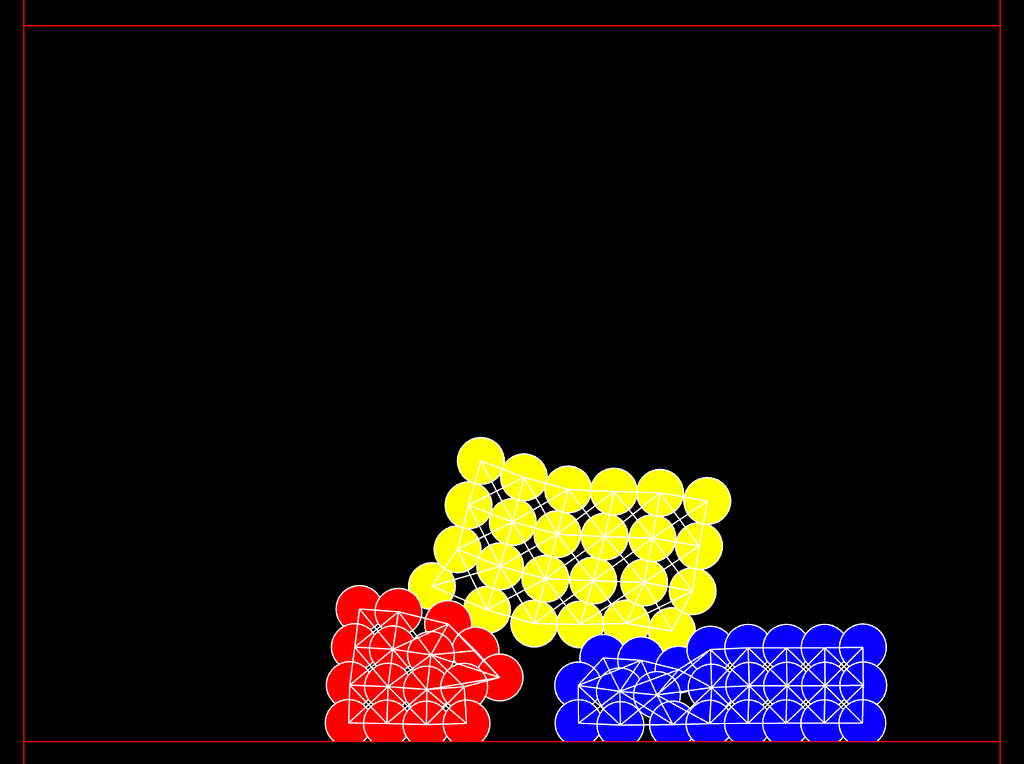
We mainly need to focus on two things:
- Draw the soft bodies by iterating through the collection “softBodies”
- Draw the boundaries by iterating through the collection “boundaries”
Additionally to that, I added some custom colours to differentiate the soft bodies. For that there is an array of colours, and inside the for loop going through the softBodies, I manually iterate an index variable that chooses the corresponding color in the array of colours.
``` function draw() { background(0);
// Draw soft bodies fill(255); stroke(255); strokeWeight(1); // array of colours let colors = [color(255, 0, 0), color(255, 255, 0), color(0, 0, 255)]; // index variable initialization, there are other ways to do this, but bear with me let index = 0; for (let softBody of softBodies) { // resetting the index to 0 in case we go beyond for some reason, for instance if we decide to add a fourth soft body, and forgot to add a new color in the array of colours if (index < 2) { index++; } else { index = 0; } // nested loop to draw each particle as a circle for (let body of softBody.bodies) { let pos = body.position; fill(colors[index]); ellipse(pos.x, pos.y, 36, 36); // Draw each particle } // nested loop to draw each connection between particles as a line for (let constraint of softBody.constraints) { let { bodyA, bodyB, pointA, pointB } = constraint; let posA = bodyA ? bodyA.position : { x: pointA.x, y: pointA.y }; let posB = bodyB ? bodyB.position : { x: pointB.x, y: pointB.y };
line(posA.x, posA.y, posB.x, posB.y); // Draw connecting lines } }
// Draw boundaries (walls) fill(0); stroke(0, 255, 0); for (let boundary of boundaries) { let vertices = boundary.vertices; beginShape(); for (let v of vertices) vertex(v.x, v.y); endShape(CLOSE); } } ```
That’s it. Let’s put it all together and press play.
Full Code
here as usual I put it all together to save you some time and nerves specially if you are new into this.
``` // Importing Matter.js modules let Engine = Matter.Engine, World = Matter.World, Bodies = Matter.Bodies, Composites = Matter.Composites, Mouse = Matter.Mouse, MouseConstraint = Matter.MouseConstraint;
// setting the other variables let engine, world; let softBodies = []; let boundaries = []; let cols = 2, rows = 2;
function setup() { let canvas = createCanvas(800, 600);
// 1. Create Matter.js engine engine = Engine.create(); // 2. declare the engine's world world = engine.world;
// 3. Define the options for the soft bodies friction and frictionstatic, render doesn't matter to us much let particleOptions = { friction: 0.05, frictionStatic: 0.1, //render: { visible: true } };
// 4. Add three soft bodies softBodies.push(createSoftBody(250, 100, cols, rows, 0, 0, true, 18, particleOptions)); softBodies.push(createSoftBody(400, 300, 8, 3, 0, 0, true, 15, particleOptions)); softBodies.push(createSoftBody(250, 400, 4, 4, 0, 0, true, 15, particleOptions));
// 5. Add boundaries (walls) boundaries.push(Bodies.rectangle(400, 0, 800, 50, { isStatic: true })); boundaries.push(Bodies.rectangle(400, 600, 800, 50, { isStatic: true })); boundaries.push(Bodies.rectangle(800, 300, 50, 600, { isStatic: true })); boundaries.push(Bodies.rectangle(0, 300, 50, 600, { isStatic: true }));
// 6. Add everything to the world for (let body of softBodies) World.add(world, body); for (let boundary of boundaries) World.add(world, boundary);
// 7. Add mouse control let canvasMouse = Mouse.create(canvas.elt); canvasMouse.pixelRatio = pixelDensity(); let mouseConstraint = MouseConstraint.create(engine, { mouse: canvasMouse, constraint: { stiffness: 0.9, render: { visible: false } } }); World.add(world, mouseConstraint);
// 8. Start the engine Matter.Runner.run(engine); }
function draw() { background(0);
// Draw soft bodies fill(255); stroke(255); strokeWeight(1); // array of colours let colors = [color(255, 0, 0), color(255, 255, 0), color(0, 0, 255)]; // index variable initialization, there are other ways to do this, but bear with me let index = 0; for (let softBody of softBodies) { // resetting the index to 0 in case we go beyond for some reason, for instance if we decide to add a fourth soft body, and forgot to add a new color in the array of colours if (index < 2) { index++; } else { index = 0; } // nested loop to draw each particle as a circle for (let body of softBody.bodies) { let pos = body.position; fill(colors[index]); ellipse(pos.x, pos.y, 36, 36); // Draw each particle } // nested loop to draw each connection between particles as a line for (let constraint of softBody.constraints) { let { bodyA, bodyB, pointA, pointB } = constraint; let posA = bodyA ? bodyA.position : { x: pointA.x, y: pointA.y }; let posB = bodyB ? bodyB.position : { x: pointB.x, y: pointB.y };
line(posA.x, posA.y, posB.x, posB.y); // Draw connecting lines } }
// Draw boundaries (walls) fill(0); stroke(0, 255, 0); for (let boundary of boundaries) { let vertices = boundary.vertices; beginShape(); for (let v of vertices) vertex(v.x, v.y); endShape(CLOSE); } }
// Helper function: create a soft body function createSoftBody(xx, yy, cols, rows, colGap, rowGap, crossBrace, radius, particleOptions) { let Common = Matter.Common;
particleOptions = Common.extend({ inertia: Infinity }, particleOptions); let constraintOptions = Common.extend({ stiffness: 0.2, //render: { type: 'line', anchors: false } });
// Create stack of particles using the same Class 'Composites' and method 'stack' available in Composites from the matterjs library let softBody = Composites.stack(xx, yy, cols, rows, colGap, rowGap, function (x, y) { return Bodies.circle(x, y, radius, particleOptions); });
// Connect particles with constraints to form a mesh using the mesh method available in Composites from the matterjs library Composites.mesh(softBody, cols, rows, crossBrace, constraintOptions);
// not very relevant softBody.label = 'Soft Body'; return softBody; }
```
Conclussion and Further Steps
Great, we managed to go through another example of physics and simulations this time with matterjs and soft bodies. I hope with this you were able to understand how we can implement more complex things with matterjs in p5js following the examples provided in the library.
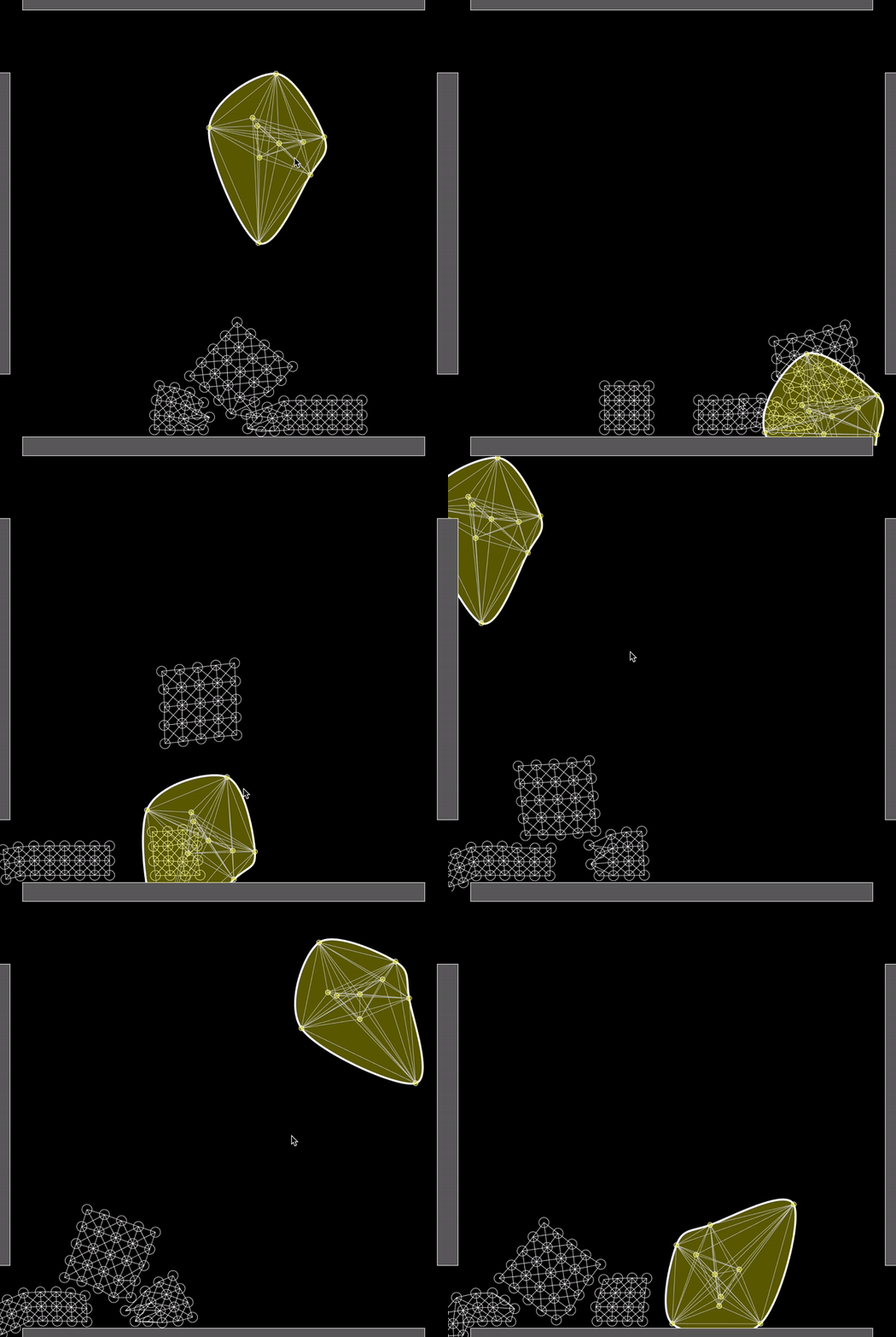
In the next and last part of these series, we will explore the principle of making a soft body with a custom shape randomly generated as well as drawing the edges of a soft body using the convex hull algorithm.
Here a teaser of what we will create in the next one:
Follow me, follow Sooft Studio, like this article and share it! It means a lot to us, and helps us to stay motivated to write more walk throughs like this.
References
- Full code on p5js editor
- matterjs online demo
- matterjs examples in the repository
- matterjs project page and documentation
Originally published on Medium.